When trying to download Office 365 Click-to-run one of the steps you have to follow is to configure an XML file with your source path, client edition, channel etc. You also have to specify the language you want to download.
If you try to use a language ID that is not supported in Office 2016 you will get the error 30125-1007 (502):
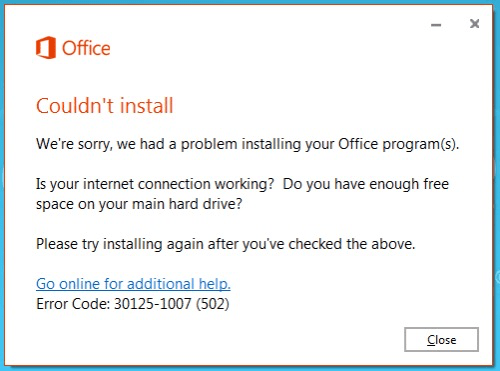
The fix is to make sure you use one of the supported language IDs from the list at the following link:
https://technet.microsoft.com/en-us/library/cc179219(v=office.16).aspx
Bonus cool stuff: You can create your Office download and configuration XML file using this handy GitHub tool: https://officedev.github.io/Office-IT-Pro-Deployment-Scripts/XmlEditor.html
Update 20/05/2019: Microsoft has retired the GitHub XML configuration tool, they now host an updated version of the tool at https://config.office.com/deploymentsettings.



Ah, the good ol’ en-gb issue. Cheers Kev.
LikeLike
Seriously. My installer has been throwing obscure codes and logs that can’t be found on Google, and when I finally tried download mode with the same config, it throws an error that directs me to a bunch of websites including yours. You were the only person who had it correct. The language code (which I found on the MS website) in my config.xml was wrong
Thank you!
LikeLiked by 1 person
After using config.office.com to create the XML file, with language to match the operating system, which was English (United Kingdom), the Office setup showed
Error Code: 30183-2030 (400)
I read your blog post, then I went back to config.office.com and set the language to English (United States), exported the XML again, and then the Office setup downloaded and installed correctly, with English (United Kingdom) as the default language.
Thanks Kevin!
LikeLike